
Download BP Guardian – blood pressure tracker, BP monitoring, health tracking, hypertension management, wellness app
Overview
Blood Pressure Tracker BP Guardian is a dedicated Android application designed to support individuals in monitoring their cardiovascular health through consistent tracking of blood pressure readings. The app falls within the health and fitness category, targeting users who seek a reliable, user-friendly tool to manage hypertension or maintain overall wellness. It serves as a digital companion for those aiming to stay proactive about their health by recording systolic and diastolic values, along with additional metrics such as heart rate.
The app simplifies the logging process, enabling users to input data quickly and review historical trends over time. This functionality is especially beneficial for individuals managing chronic conditions, those undergoing lifestyle changes, or people with a family history of cardiovascular issues. While the developer is identified as BP Guardian, no further information about the organization or its background was provided.
Real-world usage scenarios include daily monitoring for medical compliance, tracking responses to diet or medication, and sharing data with healthcare providers during consultations. The app supports a consistent wellness routine by encouraging regular data entry and visualizing progress through simple charts and summaries.
Key Features & Capabilities
- Real-time Blood Pressure Logging – Users can enter systolic and diastolic readings along with heart rate, enabling accurate tracking of vital signs over time.
- Historical Data Tracking – The app stores past readings, allowing users to view trends and identify patterns in their blood pressure fluctuations.
- User-Friendly Interface – Designed with simplicity in mind, the interface supports quick access to logging, viewing, and managing data without requiring technical knowledge.
- Health Trend Visualization – Provides visual summaries such as graphs or charts to help users understand their health progress and detect anomalies.
- Offline Functionality – Data can be recorded and stored locally, ensuring accessibility even without an internet connection.
These features are particularly useful for individuals managing hypertension, those monitoring the effects of medication, or people adopting healthier lifestyles. For example, a user can log readings twice daily, review weekly averages, and share the data with a doctor during follow-up visits. The ability to maintain a consistent log without relying on external devices or complex setups makes BP Guardian a practical tool for long-term health management. The app’s focus on ease of use ensures that users of all ages and technical backgrounds can benefit from its functionality.
User Interface, Workflow & Performance
The user interface of BP Guardian is structured around simplicity and accessibility, prioritizing intuitive navigation for consistent data entry. Main functions such as logging a new reading, viewing past entries, and accessing summary reports are typically accessible from the home screen or a central menu. The workflow is streamlined, requiring minimal steps to record a reading and save it to the history.
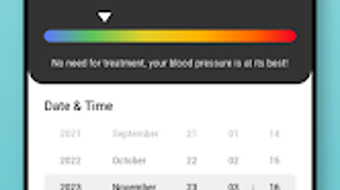
Users can input values using numeric fields, with optional date and time tagging for precision. The app’s performance appears to align with standard mobile application behavior on Android devices, though specific details regarding CPU or RAM usage were not disclosed by the developer. The developer did not specify resource usage details, so actual performance may vary based on device capabilities and background processes.
Stability and responsiveness are expected to be consistent with typical lightweight Android applications, given the app’s size of 12.5 MB. No reported crashes or functional limitations were mentioned in the available information. General performance notes are based on typical software behavior patterns for health tracking apps, indicating smooth operation under normal conditions.
Compatibility & System Requirements
BP Guardian is designed for Android devices, with the current version listed as 1.0.0. The application has a file size of 12.5 MB, suggesting a lightweight footprint suitable for a wide range of Android smartphones and tablets. Platform compatibility information is limited to Android, with no details provided on minimum OS versions or hardware specifications.
The developer did not specify system requirements, so users should ensure their device supports the latest Android updates to maintain compatibility. Exact system requirements were not listed, and no information was provided regarding support for older Android versions or specific processor or memory thresholds. Users are advised to check their device’s compatibility through the Google Play Store before installation.
The app is available as a free download, making it accessible to a broad audience interested in health tracking tools.
Pros and Cons
Pros
- Free to download and use, making it accessible for budget-conscious users.
- Simple, intuitive interface ideal for users of all technical skill levels.
- Supports offline data logging, ensuring continuous tracking without internet dependency.
- Lightweight design at only 12.5 MB, minimizing storage impact.
- Focuses on core functionality: blood pressure and heart rate tracking.
Cons
- No integration with wearable devices or external blood pressure monitors was mentioned.
- Limited information on data export or sharing options with healthcare providers.
- Developer did not provide details on data privacy or security measures.
- App lacks advanced analytics or AI-driven insights for health predictions.
- Version 1.0.0 suggests it is in early development, which may indicate limited feature depth.
FAQ Section
Is BP Guardian compatible with all Android devices?
The app is designed for Android, but specific compatibility details such as minimum OS version or hardware requirements were not provided by the developer. Users should verify compatibility through the Google Play Store.
Is the app safe to use for medical purposes?
BP Guardian is intended as a personal health tracking tool and should not replace professional medical advice. Users are encouraged to consult with healthcare providers for clinical diagnoses or treatment plans.
Does BP Guardian require an internet connection?
The app supports offline data entry, allowing users to log readings without an internet connection. However, syncing or sharing data may require connectivity.
Can I export my blood pressure data?
Information about data export or sharing features was not specified. Users are advised to check the app’s settings or documentation for available options.
How often should I update BP Guardian?
Updates are recommended to ensure optimal performance and security. Users should enable automatic updates through the Google Play Store or check for new versions manually.
Final Thoughts
Blood Pressure Tracker BP Guardian offers a straightforward, free solution for individuals committed to monitoring their cardiovascular health. Its clean interface, lightweight design, and core tracking capabilities make it a practical choice for users seeking a no-frills health app. While it lacks advanced features such as device integration, data export, and detailed analytics, it fulfills its primary purpose effectively.
The app is particularly suited for those who want to maintain a daily log of blood pressure readings without complexity. Given its free status and minimal system demands, it is ideal for users prioritizing accessibility and simplicity. For individuals managing hypertension or aiming to improve their wellness, BP Guardian provides a reliable starting point.
While not a medical device, it serves as a valuable personal assistant in long-term health management. Download BP Guardian now to take control of your blood pressure tracking with ease and precision.







